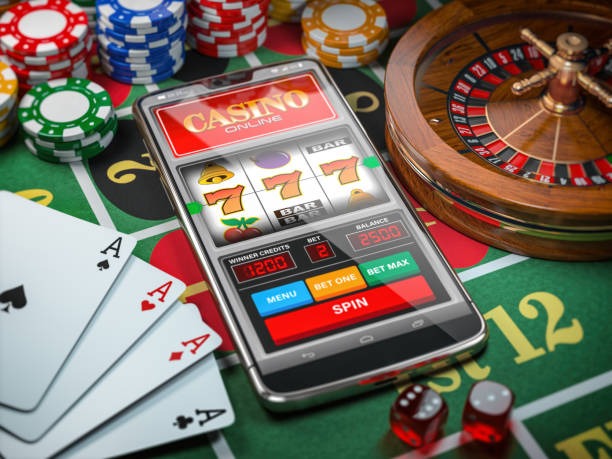
at777game ka pura lobby — slots, live casino tables, aur Pakistan Cricket Reels 506 — aapke mobile browser mein seedha khulta hai. JazzCash aur Easypaisa se account wallet ready rakhen; access local law aur eligible regions ke mutabiq available hai.
at777game ka responsive layout har modern mobile browser mein fit baithta hai — koi alag download zaroori nahi. Aap apna account session ek device se doosre par continue kar sakte hain bina lobby chhode. Game discovery rail, account dashboard, aur help pages sab phone screen ke liye adjust hote hain. Crash SparkBurst aur Football BetMastery jaise titles mobile view mein bilkul waise hi load hote hain jaise desktop par. Sirf browser open karen, domain verify karen, aur sign in karen — baaki sab already set hai.
Responsive Layout
Lobby, game cards, aur navigation automatically phone screen size ke mutabiq reflow hoti hai — koi pinch-zoom ya sideways scroll nahi. Aap game directly tap kar ke enter kar sakte hain.
Session Continuity
Ek baar sign in karen to aapka account session active rehta hai. Agar connection drop ho ya app background mein chali jaye, wapas open karen aur session wahan milega jahan chhoda tha.
Game Discovery Rail
Pakistan Live Room 507 aur Roulette Winner's Wheel jaise titles horizontally scroll hone wale rail mein hain. Category filter se slots, live tables, ya crash games mein seedha jump karen.
Account Dashboard Access
Wallet balance, transaction history, aur deposit route — JazzCash ya Easypaisa — sab mobile dashboard mein ek jagah hain. Login ke baad immediately accessible.
ACCESS STEPS GUIDE
Mobile Access: 3 Simple Steps
at777game tak phone par pahunchna straightforward hai. Koi APK download ya app store listing ka intezaar nahi — sirf browser use karen. Pehle step mein domain confirm karen, phir browser compatibility check karen, aur finally apne credentials se sign in karen. Yeh path returning users ke liye especially quick hai kyunki session cookies active rehti hain. Agar aap JazzCash ya Easypaisa se pehle deposit kar chuke hain to wallet balance login ke saath hi dikh jata hai. Pakistan mein access local law aur eligible regions ke terms ke mutabiq hai — site par published terms check karen.
Step 1 — Sahi Domain Open Karen
Apne mobile browser mein at777game type karen aur confirm karen ke address bar mein sahi domain show ho raha hai. Kisi third-party link par trust mat karen.
Step 2 — Browser Compatibility Dekhen
Current Chrome, Safari, ya Firefox mobile par smoothly run karta hai. Agar page load slow ho to browser cache clear karen aur dobara try karen.
Step 3 — Account Mein Sign In Karen
Registered email aur password se login karen. Two-step verification active hai to confirmation apne registered number par aayegi — woh step complete karen.
Step 4 — Lobby Explore Karen
Sign in ke baad game rail, category filters, aur account dashboard visible ho jaata hai. JazzCash ya Easypaisa se wallet top-up bhi isi screen se accessible hai.
DEVICE CHECK LIST
Kon Se Devices Aur Browsers Support Karte Hain
at777game ka mobile interface modern browsers ke saath design kiya gaya hai. Exact OS version requirements site ke published device guidance mein hain — login ke baad help section mein check karen. Neeche kuch common checkpoints hain jo aapko access shuru karne se pehle verify karne chahiye. Agar aapka device in points par match karta hai to lobby normally load hoga. Koi issue ho to support se contact karen — account mein help path available hai.
Portrait aur landscape dono mein lobby reflow hoti hai. Game cards, nav bar, aur wallet row automatically adjust hote hain — alag settings karne ki zaroorat nahi.
Account Status
Active, verified account zaroori hai. Unverified ya suspended accounts mein lobby load hoga lekin game access restricted ho sakti hai — account status dashboard mein check karen.
Network Connection
Stable mobile data ya WiFi connection chahiye. Live tables jaise Pakistan Live Room 507 ke liye steady connection better experience deta hai.
Currently Supported Devices
Exact supported device list at777game ke help section mein published hai. Wahan aapko apna specific model aur OS version ke liye guidance milega.
HELP WHEN NEEDED
Mobile Access Mein Masla? Help Yahan Hai
Mobile browser access ya account login mein koi bhi issue aaye to at777game ka support team available hai. Account ke andar help section se directly contact kiya ja sakta hai — alag portal ki zaroorat nahi. Agar aap sign in nahi kar sakte to recovery path published FAQ mein diya gaya hai. JazzCash ya Easypaisa wallet verification mein delay ho to transaction ID ke saath support ko message karen — woh verify karte hain. Har query ka response time aur availability account mein published support schedule par depend karta hai.
Live Chat Support
Account mein sign in karen aur help icon tap karen. Live chat se real-time support milta hai — mobile access issues, wallet queries, aur login problems sab yahan resolve hoti hain. Availability schedule account mein published hai.
Email Support
Account ke contact page par email address diya gaya hai. Browser compatibility ya device-specific issues ke liye screenshot attach karen taake support team jaldi diagnose kar sake.
Help Centre Articles
at777game ka help section mobile browser mein accessible hai — login ke bina bhi basic articles padh sakte hain. Account recovery, browser settings, aur wallet verification ke steps wahan published hain.
ACCOUNT SECURITY CHECKS
Mobile Par Account Ko Secure Rakhen
Phone se access karte waqt kuch basic security habits account ko protect karte hain. Sabse pehli baat — sirf at777game ka domain use karen aur address bar mein verify karen. Phishing sites kabhi kabhi similar names use karti hain isliye domain confirm karna zaroori hai. Aapka password aur login credentials sirf aapke paas rehne chahiye — kisi ke saath share mat karen, chahe woh support claim kare. Agar account access mein koi unusual activity naye, published account recovery path follow karen aur support ko inform karen. JazzCash aur Easypaisa deposits sirf in-account wallet section se karen, kisi third-party link se nahi.
Domain Verify Karen
Har baar browser mein at777game manually type karen ya saved bookmark use karen. URL bar mein domain confirm karna phishing attempts se bachata hai — especially mobile par jahan URL often chhupa hota hai.
Published Device Guidance Padhein
at777game ka help section device aur browser compatibility guidance publish karta hai. Koi access issue ho to pehle wahan check karen — often setting change se resolve ho jata hai.
Credentials Protect Karen
Login password strong rakhen aur sirf aap hi jaanen. Support team kabhi password nahi maangti. Agar koi message aye jo password maange to woh phishing hai — report karen.
Recovery Path Use Karen
Account access lost ho to at777game ka published recovery process follow karen — help section mein step-by-step guide available hai. Third-party recovery services use mat karen.
INSIDE MOBILE LOBBY
Mobile View Mein Kya Kya Accessible Hai
at777game ka mobile interface full lobby access deta hai — game discovery rail mein JDB, PG Soft, Microgaming, aur PlayStar ke titles hain jaise Roulette Winner's Wheel, Bank Transfer Cashout, aur Crash SparkBurst. Navigation bar se aap slots, live casino, aur sports sections mein switch kar sakte hain bina page reload kiye. Account routes — wallet, deposit history, aur personal settings — hamburger menu se accessible hain. Help pages bhi mobile view mein readable hain. Cricket fans ke liye sports section mein PSL aur international cricket markets category level par available hain, local law aur eligible regions ke mutabiq. Game load times aur lobby render network aur device par depend karta hai — consistent connection better experience ensure karta hai.
COMMON APP QUESTIONS
at777game App Ke Baare Mein Sawalaat
Neeche kuch common sawalaat hain jo at777game app aur mobile access ke baare mein aksar poochhe jaate hain.
Kya at777game ka koi dedicated Android ya iOS app hai?
Is waqt at777game mobile browser ke zariye accessible hai. Site ka responsive layout phone aur tablet dono par kaam karta hai. Kisi native app build ki availability ke liye at777game ka official help section check karen — wahan current status published hota hai.
Mobile par account kaise sign in karen?
Browser mein at777game open karen, domain verify karen, phir email aur password enter karen. Two-step verification active ho to confirmation aapke registered number par aayegi. Sign in ke baad lobby aur account dashboard accessible ho jaata hai.
JazzCash ya Easypaisa se mobile par deposit kaise kaam karta hai?
Login ke baad account dashboard mein wallet section open karen. Wahan JazzCash aur Easypaisa deposit options diye gaye hain. Fields aur limits wahan published hain — wahi follow karen. Transaction complete hone par wallet mein amount reflect hota hai.
Agar mobile par lobby load na ho to kya karen?
Pehle browser cache clear karen aur page reload karen. Agar issue continue kare to browser update check karen — Chrome 90+ ya Safari 14+ recommended hai. Phir bhi issue ho to at777game support ko browser version aur device model ke saath contact karen.
Kya ek se zyada devices par ek saath sign in ho sakta hai?
Account session ek active login support karta hai. Doosre device par sign in karne se pehla session end ho sakta hai. Exact multi-device policy at777game ke published terms mein di gayi hai — help section mein check karen.
Mobile par account password reset kaise karen?
Login page par 'Password Reset' ya 'Forgot Password' option hoga. Registered email par reset link aata hai. Link open karen, new password set karen, aur confirm karen. Steps published recovery guide ke mutabiq hain jo help section mein available hai.
 Mobile / Slots